
 0345 363 1130
 info@xchangetraining.co.uk


Canva Intermediate 1 Day - Online
Level:
Intermediate
Duration:
1
Day - 10am to 5pm
Price:
£275 + vat
Build on your existing Canva skills with our 1-day Intermediate Canva course, ideal for anyone ready to move beyond the basics. This practical session helps you develop greater creative control, exploring advanced tools and techniques to produce more polished professional designs. You’ll learn how to work more efficiently, refine your visual style and create stronger graphics, presentations, videos and documents.
Expanding on what you already know, the course introduces features such as Brand Kits, AI tools, Whiteboards, enhanced photo editing and more dynamic animation. You’ll also explore collaborative workflows, Canva’s app integrations and best practices for preparing content for print, web and interactive use. By the end of the day, you’ll be able to create high-quality, consistent content with greater confidence and creativity.
Build on your existing Canva skills with our 1-day Intermediate Canva course, ideal for anyone ready to move beyond the basics. This practical session helps you develop greater creative control, exploring advanced tools and techniques to produce more polished professional designs. You’ll learn how to work more efficiently, refine your visual style and create stronger graphics, presentations, videos and documents.
Expanding on what you already know, the course introduces features such as Brand Kits, AI tools, Whiteboards, enhanced photo editing and more dynamic animation. You’ll also explore collaborative workflows, Canva’s app integrations and best practices for preparing content for print, web and interactive use. By the end of the day, you’ll be able to create high-quality, consistent content with greater confidence and creativity.
-
Canva Intermediate 1 Day
Course Details
This 1-day Intermediate Canva course is designed for learners who already understand the basics and are ready to enhance their creative skills. Building on your existing knowledge, the course introduces more advanced tools, features and workflows to help you create polished, professional and visually consistent designs. You’ll discover how to work more efficiently, apply stronger design principles and use Canva’s expanded capabilities to elevate the quality of your content.
Perfect for professionals, content creators, marketers and small business owners, this course focuses on developing confidence with Canva’s advanced features. You’ll explore Brand Kits, AI-powered tools, enhanced image editing, Whiteboards, animation techniques and app integrations, while learning how to prepare your work for print, digital and interactive use.
Upon successful completion of this course, you will be able to:
- Use advanced Canva tools to create more professional and refined designs
- Apply brand consistency using Brand Kits, colour styles and typography
- Edit images with enhanced tools including colour correction, filters and background removal
- Create dynamic content using improved animation and video features
- Collaborate effectively with shared projects, comments and workflow tools
- Integrate Canva Apps and AI features to speed up your design process
- Export print-ready, digital and interactive assets with confidence
This course is designed to help you move from capable Canva user to confident creator, giving you the skills to produce consistent, high-quality content for your brand, business or organisation.
Course Target Audience and delegate prerequisites:
This course is ideal for marketers, social media managers, small business owners, content creators, educators and anyone looking to create professional-quality designs quickly and efficiently without advanced design skills.
You will need basic PC or Mac skills, including a good understanding of your operating system. You should be able to launch applications, manage files and folders, and save or locate documents confidently.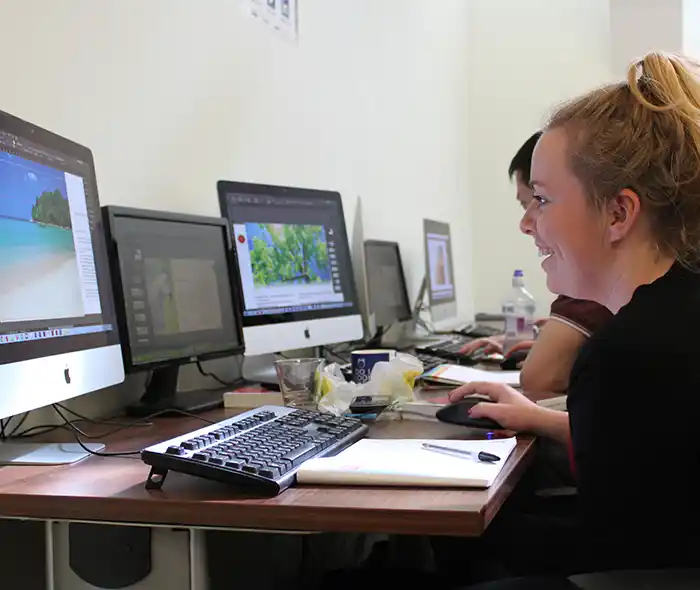
-
Full Course Outline
The following is a general outline. The range of topics covered during your training is dependent upon student level, time available and preferences of your course booking.
Using Brand Kits- Setting up and managing a Brand Kit
- Choosing and applying brand colours
- Defining consistent type styles
- Uploading fonts and brand graphics
- Creating reusable branded templates
- Creating content with Magic Write
- Understanding Magic Write vs. Grammarly
- Setting up a brand voice for consistent messaging
- Recognising limitations and best-practice guidance
- Setting up and navigating the Whiteboard workspace
- When to use Whiteboards for planning and collaboration
- Building mindmaps and visual frameworks
- Using drawing tools for sketches and notes
- Cropping, flipping and adjusting images
- Using the Background Remover for clean cut-outs
- Adjusting white balance, light and colour
- Applying texture, clarity, filters and effects
- Publishing content using Canva Websites
- Understanding when web options are most effective
- Choosing and defining a URL
- Working within Canva Website limitations
- Exploring Canva’s AI-powered creative tools
- Generating layouts and design ideas
- Creating AI-generated images and illustrations
- Drafting documents and video content with AI
- Generating code-based objects and interactive elements
Exploring Apps- Finding and adding Canva Apps
- Using file and graphic-enhancement apps
- Incorporating voice, audio and sound tools
- Using AI and productivity apps to enhance workflow
- Exploring advanced animation controls
- Animating objects along custom motion paths
- Smoothing movement for polished animation
- Adding advanced visual effects and transitions
- Understanding print formats and requirements
- Resizing and adapting designs for print output
- Choosing and preparing files for print suppliers
- Producing professionally prepared local print files
- Understanding scroll-based presentation formats
- Designing for web scrolling and long-form layouts
- Controlling scroll motion and interactive behaviour
- Exploring extended scrolling features and options
- Using essential keyboard shortcuts
- Working effectively with image frames
- Adding sound, audio and voice content
- Using rulers, guides and Version History
-
Location Details
This course is provided as a remote online course with live training provided by our Certified Trainer.
Accessing the live online course anywhere is easy and all you will need is:
- Computer with the trial or full version of the software
- Separate screen or device for the shared video display
- Sound output via computer or headset
- Ideally a camera and microphone on the computer for remote contact
Our goal is for you to be able to create simple but professional documents that are ready to use for the web and for print.
It is important to note this is not a classroom based training.

-
Canva Intermediate 1 Day - Upcoming Online Course Dates
10 Dec - 10 Dec £275 + vat 18 Dec - 18 Dec £275 + vat 09 Feb - 09 Feb £275 + vat 25 Mar - 25 Mar £275 + vat 04 Jun - 04 Jun £275 + vat 27 Jul - 27 Jul £275 + vat -
Client Reviews
"I was very happy with the way the course was ran and felt everything I wanted to learn was covered. Our tutor was very helpful and friendly. Would definitely recommend to a colleague or friend."
Jade Barnes, ANS Group, Adobe InDesign - Two Day Introduction
"Brilliant, I can't fault it really. Everything was clearly explained and course content was tailored to our needs. Thanks"
Annike Spiller, Princess of Wales Memorial Fund, Design Masterclass - 5 Day Introduction
"To say that this course has revolutionised my design life is an understatement; It will benefit my work certainly but also several projects currently ongoing in my personal life as I am an aspiring writer and food blogger. Fantastic course delivered by an amazing trainer!"
Lyndsay Stewart, Next, InDesign - Two Day Introduction
"Clear, easy to follow training, well paced and interactive with positive tutition. Interesting and enjoyable, would recommend."
Emma Fullalove, Tom Parker Ltd, InDesign - 2 Day Introduction
"Trainer was patient and explained commands and process well. Level of development within two days was more than expected!"
Bryan Sturrock, Event, Vectorworks - 2 Day Introduction
"Very informative and easy to follow. Found it a relaxed and easy-going environment."
Natalie McKenzie, University of Derby, Colour Management Introduction
"Excellent, fun course led by an experienced and knowledgeable instructor/expert. Thank you."
Richard Satterthwaite, The Camping & Caravanning Club, Enfocus PitStop Professional - 1 Day Introduction
"The course was totally tailored to our needs. Fabulous delivery, shame we ran out of time!"
Michelle Harrison, Greater Manchester Police, Bespoke Intermediate - 1 Day Bespoke
"The trainer was wonderful and imparted a great deal of personal experience as well as delivering a superb course in a friendly, intelligent and comprehensive manner. I've learned so much in just 2 days!"
Tony Crowther, Classic American, InDesign - 2 Day Introduction
"Easily the best training I have undertaken for a long time. The trainer was very knowledgeable and made the days fly by. We had a lot of fun and came out of the sessions with something tangible to show management!"
Daniel Hinton, The Media Group
 £275 + vat
Next Dates:
 10 Dec £275 + vat
18 Dec £275 + vat
09 Feb £275 + vat
25 Mar £275 + vat
04 Jun £275 + vat
27 Jul £275 + vat
Over 15 years of providing certified Canva training courses UK wide

5/5 Stars
really enjoyed course and i've already emailed my boss to get further training via this company
04/09/2026
5/5 Stars
Enjoyed the course, it was very helpful to learn more about Canva, including features I haven't used before and useful shortcuts. It was also good to learn about it from a design perspective and Simon's knowledge and design background also helped to make it interesting.
04/09/2026
5/5 Stars
Broad coverage of fairly difficult material. Excellent teaching, with enthusiasm, patience and great vision
18/06/2026
5/5 Stars
I am new to Canva and I needed to get professional guidance and this course provided me with all the answers to my queries and I will now get to practice with the video that will be sent me. Thank you
02/06/2026
5/5 Stars
Phil was a lovely teacher, very helpful in demonstrating techniques and answering any questions.
02/06/2026
5/5 Stars
I learned various Canva skills of how to create assets across all different styles. I now feel confident to make whatever material needed.
02/06/2026

4/5 Stars
Good course structure and flow. Delivered a good pace for new learners to understand and lots of oppertunity to follow along for embeded understanding.
07/05/2026
4/5 Stars
Learned new skills which is always what I want to take away from training. Also confirmed that my self taught ways were right and how I could take them to the next level.
30/04/2026
4/5 Stars
Great training session
29/04/2026
4/5 Stars
For me, I can search online for shortcuts, getting round the functionality of the software is more useful to me & knowing the idiosyncrasies that will cause me problems when I go to use it.
29/04/2026
Whats Included:
 Your choice of Windows or Mac
  Certified hands-on training
  Small class size (max 4-8)
  6 months post course support
  Authorised Course Certificate
Frequently Asked Questions
What are the course times?
For all courses in the London Centre the normal session timings are 10am to 5pm with an hour break for lunch. In addition to the hour lunch break there are also two fifteen minute coffee breaks mid morning and mid afternoon.
Daily times are:
09.45 - Registration
10.00 - Course start
13.00 - Lunch
14.00 - Afternoon starts
17.00 - Course ends
Do you offer discounts
or promotions?
We offer a range of regular discounts available for self funding individuals, charities and education along with period special offers. See our promotions page for full details.
What is provided with this course?
During the course we provide all computers for your use with choice of Windows or Mac, lunch and refreshments along with pads & pens. After the course you will receive the authorised Certificate, quality reference manual and 6 months direct post course support.
Does this course give
a qualification?
Although this course does not provide an actual qualification each delegate is provided with an official Certificate for completion of the course level.
Can you invoice my company?
In short yes we can provide 30 day invoice terms to any UK Limited company with the provision of your official purchase order and/or completing the invoice request for your booking online.

Adobe Design Ready in just 5 days!
Learn Adobe Design skills with our value Adobe Design Masterclass Bundle →