
 0345 363 1130
 info@xchangetraining.co.uk


Microsoft Copilot Introduction 1 Day - Online
Key Course Details:
Level:
Introduction
Duration:
1
Day - 10am to 5pm
Price:
£249 + vat
Learn the fundamentals of ChatGPT, the powerful AI tool designed to support writing, research, idea generation and everyday productivity. This 1-day introduction course guides you through the essentials of using ChatGPT confidently, helping you understand how to interact with AI effectively and apply it to real-world tasks without technical knowledge.
After exploring the core features of ChatGPT, you’ll learn how to write clear prompts, refine responses and use AI to generate high-quality content quickly. We’ll show you how ChatGPT can support business communication, creative projects and research tasks, as well as how to review, adapt and use AI-generated outputs responsibly and efficiently in your work.
Learn the fundamentals of ChatGPT, the powerful AI tool designed to support writing, research, idea generation and everyday productivity. This 1-day introduction course guides you through the essentials of using ChatGPT confidently, helping you understand how to interact with AI effectively and apply it to real-world tasks without technical knowledge.
After exploring the core features of ChatGPT, you’ll learn how to write clear prompts, refine responses and use AI to generate high-quality content quickly. We’ll show you how ChatGPT can support business communication, creative projects and research tasks, as well as how to review, adapt and use AI-generated outputs responsibly and efficiently in your work.
-
Copilot Introduction 1 Day
Course Details
This 1-day ChatGPT Introduction course introduces you to the core features and capabilities of this powerful AI tool. You’ll learn how ChatGPT supports content creation, research, idea generation and productivity through natural language interaction. Whether you’re writing emails, planning projects or exploring creative ideas this course will help you use ChatGPT confidently and effectively.
ChatGPT is ideal for professionals, creatives, marketers and anyone looking to work more efficiently with AI. We’ll guide you through the interface, understanding prompts, refining responses and applying ChatGPT to real-world tasks, helping you get accurate and useful results without technical or coding knowledge.
Upon successful completion of this course, you will be able to:
- Navigate the ChatGPT interface and core features
- Write clear and effective prompts for better results
- Generate written content for business and creative use
- Refine and evaluate AI-generated responses
- Apply ChatGPT to everyday workflows and productivity tasks
Our goal is to equip you with the practical skills needed to use ChatGPT as a reliable AI assistant, supporting creative thinking, communication and efficiency in your day-to-day work.
Course Target Audience and delegate prerequisites:
This course is ideal for creatives, content creators, marketers and professionals looking to use ChatGPT to support idea generation, writing and creative workflows without technical expertise.
You will need basic PC or Mac skills, including a good understanding of your operating system. You should be able to launch applications, manage files and folders, and save or locate documents confidently.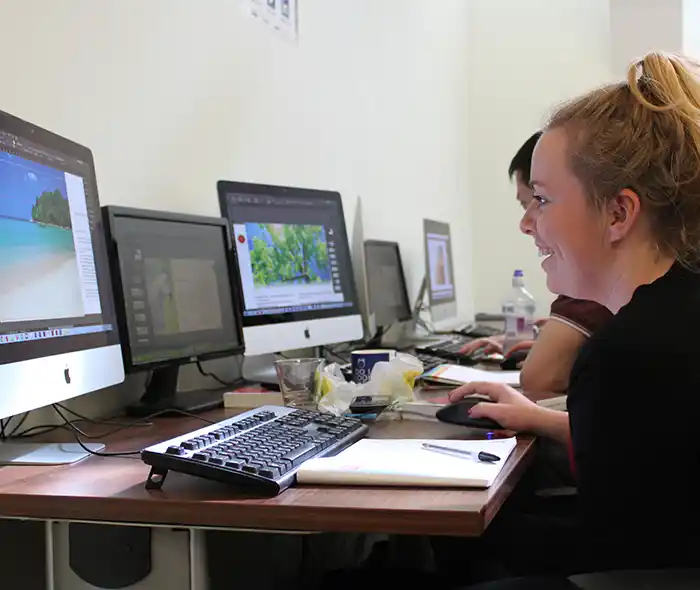
-
Full Course Outline
The following is a general outline. The range of topics covered during your training is dependent upon student level, time available and preferences of your course booking.
Getting Started with ChatGPT- Introduction to ChatGPT and AI Language Models
- Understanding What ChatGPT Can and Can’t Do
- Exploring the ChatGPT Interface and Key Features
- Accessing ChatGPT and Account Options
- Using ChatGPT Safely, Responsibly, and Effectively
- What Is a Prompt and Why It Matters
- Writing Clear and Effective Prompts
- Using Context and Instructions for Better Results
- Refining Prompts Through Iteration
- Creating Emails, Articles, and Reports
- Adapting Tone, Style, and Audience
- Editing, Rewriting, and Improving Text
- Summarising and Expanding Content
- Brainstorming Ideas and Concepts
- Conducting Initial Research and Exploration
- Organising Information and Key Points
- Evaluating and Verifying AI-Generated Output
Applying ChatGPT to Creative and Business Tasks- Supporting Creative Thinking and Content Planning
- Using ChatGPT for Marketing and Campaign Ideas
- Improving Business Communication
- Streamlining Everyday Workflows
- Using ChatGPT to Save Time on Repetitive Tasks
- Creating Checklists, Templates, and Frameworks
- Combining ChatGPT with Existing Tools and Processes
- Best Practices for Consistent Results
- Hands-On Prompt Writing Exercises
- Applying ChatGPT to Real-World Scenarios
- Reviewing Outputs and Improving Results
- Q&A Session with Expert Guidance
-
Location Details
This course is provided as a remote online course with live training provided by our Certified Trainer.
Accessing the live online course anywhere is easy and all you will need is:
- Computer with the full version of the software
- Separate screen or device for the shared video display
- Sound output via computer or headset
- Ideally a camera and microphone on the computer for remote contact
Our goal is for you to be able to create simple but professional documents that are ready to use for the web and for print.
It is important to note this is not a classroom based training.

-
Copilot Introduction 1 Day - Upcoming Online Course Dates
-
Client Reviews
"Our instructor put us at ease immediately and explained all course content very clearly and efficiently. He quickly realised what level we were at and adapted the content to suit. "
Lynn McBean, Material MC, Photoshop - 1 Day Bespoke
"Very good training content with enthusiastic & knowledgeable instruction. Equipment very good too."
Matthew Blackburn, SketchUp - 2 Day Masterclass
"Very good, it was tailored to meet our needs and the instructor was very good explaining each step well."
Charlotte Manby, Room 7, Lightroom - 1 Day Introduction
"The course was excellent and the pace was kept to the right speed."
Kate Durrant, IAPA, Dreamweaver - One Day Introduction
"Great instructor, very knowledgeable. Lots of help provided and easy to follow course. Learnt a lot in a small amount of time."
Richard Harrison, Adobe Premiere Pro - Two Day Advanced
"Thank you for the InDesign training which both Paula and I found extremely efficient and a well taught."
Pippa Coffin, James Glancy Design
"Great training course, extremely happy with the content covered and learnt. Now have a clear understanding on the basics of HTML and CSS, would definitely use XChange Training again."
Alex Ottley, TM Lewin, HTML & CSS - 1 Day Bespoke
"A very informative course, thanks!"
Petro Papucis, Research Now, Muse & Edge - 2 Day Masterclass
"The trainer was very helpful and approachable and we got answers to all our questions. Great course!"
Aspasia Valiasi, FilmFlex Movies, Photoshop - 1 Day Introduction
"Great training course. Covered everything we needed with a good balance of demonstration and hands on exercises. Trainer went at exactly the right pace for the delegates."
Imelda Molloy, Scottish Enterprise, Appligent Redax - 1 Day Introduction

Whats Included:
 Your choice of Windows or Mac
  Certified hands-on training
  Small class size (max 4-8)
  6 months post course support
  Authorised Course Certificate
Frequently Asked Questions
What are the course times?
For all courses in the London Centre the normal session timings are 10am to 5pm with an hour break for lunch. In addition to the hour lunch break there are also two fifteen minute coffee breaks mid morning and mid afternoon.
Daily times are:
09.45 - Registration
10.00 - Course start
13.00 - Lunch
14.00 - Afternoon starts
17.00 - Course ends
Do you offer discounts
or promotions?
We offer a range of regular discounts available for self funding individuals, charities and education along with period special offers. See our promotions page for full details.
What is provided with this course?
During the course we provide all computers for your use with choice of Windows or Mac, lunch and refreshments along with pads & pens. After the course you will receive the authorised Certificate, quality reference manual and 6 months direct post course support.
Does this course give
a qualification?
Although this course does not provide an actual qualification each delegate is provided with an official Certificate for completion of the course level.
Can you invoice my company?
In short yes we can provide 30 day invoice terms to any UK Limited company with the provision of your official purchase order and/or completing the invoice request for your booking online.