
 0345 363 1130
 info@xchangetraining.co.uk


Bespoke Canva - 1 Day Intermediate
Level:
Intermediate
Duration:
1 Day (10am-5pm)
Price:
From £595 + VAT
Dates:
Dates to suit you
Learn how to take your Canva skills further and create more professional, consistent design work. This 1-day intermediate course builds on existing knowledge, introducing more advanced tools, features and workflows to help you design more efficiently and with greater control.
This course can be delivered using our standard outline or fully customised to match your level and requirements. Bespoke Canva training is available live online, onsite at your offices, or at one of our XChange centres in London, Manchester or Glasgow.
Learn how to take your Canva skills further and create more professional, consistent design work. This 1-day intermediate course builds on existing knowledge, introducing more advanced tools, features and workflows to help you design more efficiently and with greater control.
This course can be delivered using our standard outline or fully customised to match your level and requirements. Bespoke Canva training is available live online, onsite at your offices, or at one of our XChange centres in London, Manchester or Glasgow.
-
Bespoke Canva - 1 Day Intermediate
Course Details
This 1-day Canva intermediate course is designed for users who are already familiar with the basics and want to develop more advanced design skills. Canva is a versatile and user-friendly platform used to create social media graphics, presentations, marketing materials and branded content.
Throughout the course, you will explore more advanced features and techniques, including working with brand kits, creating reusable templates, refining layouts and improving design consistency. You will also learn how to work more efficiently using Canva’s tools for collaboration, content organisation and multi-platform design.
In this bespoke course, content is tailored to your organisation and delivered online or onsite. By the end of the session, participants will be able to produce more polished, professional designs and work more effectively within Canva to support business and marketing needs.
Course Target Audience and delegate prerequisites:
This course is ideal for marketers, social media managers, small business owners, content creators, educators and anyone looking to create professional-quality designs quickly and efficiently without advanced design skills.
You will need basic PC or Mac skills, including a good understanding of your operating system. You should be able to launch applications, manage files and folders, and save or locate documents confidently.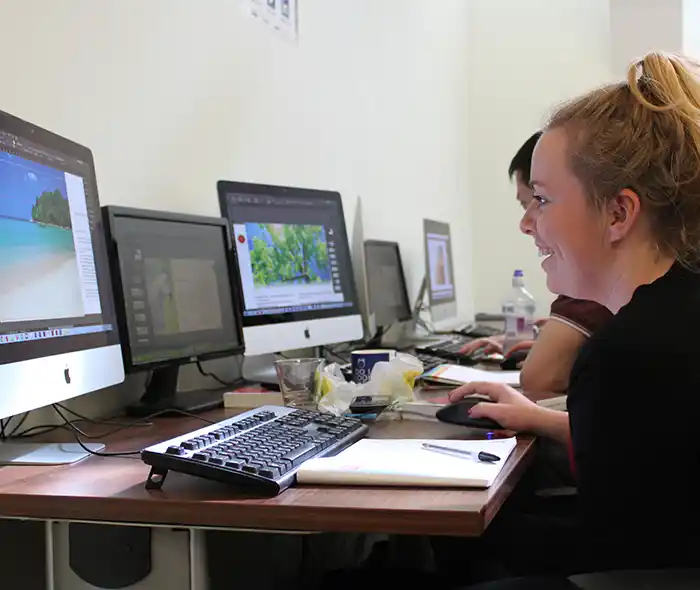
-
Full Course Outline
The following is a general outline. The range of topics covered during your training is dependent upon student level, time available and preferences of your course booking.
Using Brand Kits- Setting up and managing a Brand Kit
- Choosing and applying brand colours
- Defining consistent type styles
- Uploading fonts and brand graphics
- Creating reusable branded templates
- Creating content with Magic Write
- Understanding Magic Write vs. Grammarly
- Setting up a brand voice for consistent messaging
- Recognising limitations and best-practice guidance
- Setting up and navigating the Whiteboard workspace
- When to use Whiteboards for planning and collaboration
- Building mindmaps and visual frameworks
- Using drawing tools for sketches and notes
- Cropping, flipping and adjusting images
- Using the Background Remover for clean cut-outs
- Adjusting white balance, light and colour
- Applying texture, clarity, filters and effects
- Publishing content using Canva Websites
- Understanding when web options are most effective
- Choosing and defining a URL
- Working within Canva Website limitations
- Exploring Canva’s AI-powered creative tools
- Generating layouts and design ideas
- Creating AI-generated images and illustrations
- Drafting documents and video content with AI
- Generating code-based objects and interactive elements
Exploring Apps- Finding and adding Canva Apps
- Using file and graphic-enhancement apps
- Incorporating voice, audio and sound tools
- Using AI and productivity apps to enhance workflow
- Exploring advanced animation controls
- Animating objects along custom motion paths
- Smoothing movement for polished animation
- Adding advanced visual effects and transitions
- Understanding print formats and requirements
- Resizing and adapting designs for print output
- Choosing and preparing files for print suppliers
- Producing professionally prepared local print files
- Understanding scroll-based presentation formats
- Designing for web scrolling and long-form layouts
- Controlling scroll motion and interactive behaviour
- Exploring extended scrolling features and options
- Using essential keyboard shortcuts
- Working effectively with image frames
- Adding sound, audio and voice content
- Using rulers, guides and Version History
-
Training Location Options
Online ↓ London ↓ Manchester ↓ Glasgow ↓ Onsite ↓This course is offered for your convenience at one of our bespoke training centres in London, Manchester and Glasgow, Remote Online, or Onsite at your offices anywhere in the UK. Just let us know what would work best for you or your team.
Remote Online
Delivered Online to your location
Live online training offers an extremely flexible and convenient way of covering the same content as our bespoke classroom based courses. You will receive professional, certified design training from one of our experienced instructors direct to your screen, offering the perfect solution for those wishing to learn without having to travel.
Click to view Full details of our
Remote Online Training CoursesCentral London
5 St John’s Lane, Clerkenwell, EC1M 4BH
St John’s Lane is located in the heart of Clerkenwell close to the junction of Farringdon and Clerkenwell Road. Farringdon tube & train station is just a few minutes away and the training centre can also be accessed from Chancery Lane and Barbican tubes in about 10 minutes. There is also easy direct access by bus from Waterloo (243) and West End (55) with nearby stops.
Click to view Full details of our
London Training CentreCentral Manchester
Piccadilly House, 49 Piccadilly, M1 2AP
Piccadilly House is located in central Manchester directly next to the Piccadilly Gardens transport interchange with excellent bus and tram connections and is easily accessed from Piccadilly train Station (5 mins). Victoria station is also close by (around 10 mins).
Click to view Full details of our
Manchester Training CentreCentral Glasgow
Centrum Business Centre, 38 Queen Street, G1 3DX
The Queen Street training centre is located in central Glasgow within easy walking distance of the 3 local train options of Central Station, Queen Street and Argyle Street offering excellent transport connections.
Click to view Full details of our
Glasgow Training CentreOnsite
Onsite at your Offices/Premises
If you have the required set up and would prefer to have the training at your location we will be able to deliver the same session onsite at your premises as in our training centres. This will provide you with the same tailored training but without the need to travel and less disruption to you or your teams work schedule.
Click to view Full details of
Onsite Training -
Related Courses
Below are related bespoke courses for alternative tailored training options.
Bespoke Canva Training Courses
Canva - 1 Day IntroductionCanva - 2 Day Introduction to Intermediate -
Client Reviews
''I was first sceptical of this course, with regards to the knowledge I would gain in such a short time, but having taken this course, I could not have been happier. The tutor was fantastic, very knowledgable and helpful. I would not only recommend XChange training but would consider doing further courses myself. ''
Gary Carney, none, HTML & CSS - 2 Day Introduction
''Excellent tutor, nice small group with lots of one to one teaching.''
Alexander Dixon, University of Salford, AutoCAD Introduction - Two Days
''Very good course, learned a lot that I can apply straight away.''
Gary McCall, Getty Images, Photoshop - 2 Day Introduction
''Fantastic course, covered everything I needed! Very professional and friendly instructor. Fantastic facilities. Great location! ''
Jamie Beard, SAR Products, AutoCAD Two Day Introduction
''The trainer was extremely helpful and structured the course around our needs, what is more, he quickly saw what level I was at and pitched accordingly. Excellent.''
Carole Lowe, Genius Gluten Free, Adobe LiveCycle - 2 Day Designer Introduction
''A worthwhile training course. A very experienced instructor who gave useful tips and tricks in addition to the scheduled course.''
Andy Hunt, Totem Agency, Maxon Cinema 4D - 2 Day Intermediate
''The trainer was wonderful and imparted a great deal of personal experience as well as delivering a superb course in a friendly, intelligent and comprehensive manner. I've learned so much in just 2 days!''
Tony Crowther, Classic American, InDesign - 2 Day Introduction
''I thought the training was excellent and was impressed by the knowledge of the instructor. I also found the adaptability to teach on images I brought with me extremely helpful. Many thanks!''
Keith Baker, Science Press Ltd, Photoshop - 2 Day Introduction
''The trainer was good and worked at a pace which can be followed easily. The trainer also provided additional information which will allow me to make an informed choice when developing websites.''
Sital Kerai, Park High School, Dreamweaver - 2 Day Introduction
''The trainer was extremely helpful and responsive to our needs personalising the course to focus on our requirements. The hands-on, practical nature of the course was very effective.''
Olivia Skinner, Commission for Racial Equality, QuarkXPress - 2 Day Bespoke
Frequently Asked Questions:
What dates are available for this course?
As a bespoke course the date arrangement is based around your requirements and availability in our schedule. With your guide of when you are looking for the training we will advise suitable date options ahead of finalising the planned date(s).
Can the content be tailored to my requirements?
Yes we are flexible about tailoring content and can adapt to be fully based on your requirements, a mixture of content from different levels of our base courses or a base outline with some additional focus areas.
Can this course be delivered live online?
Yes we can provide the same bespoke course as a live online session connecting to you or your group with either Zoom or Microsoft Teams if preferred.
What is the cost to deliver the course onsite?
We are equally able to deliver our bespoke training onsite at your premises and the cost to deliver this is the same structure as classroom with the addition of basic expenses depending on your location. Onsite courses in and around London, Manchester and Glasgow are usually without additional costs.
Can the course include my work samples?
It is often possible to review and include consideration towards sample files however the main course content is usually structured around prepared examples which are best suited to the planned content and structure of teaching the required skills in the best format.


 1 Delegate: £595
 2 Delegates: £695
 3 Delegates: £795
 4 Delegates: £895
 5 Delegates: £945
 6 Delegates: £995
 7 Delegates: £1,045
 8 Delegates: £1,095


Whats Included:
 Tailored course content
  Online, Onsite or Classroom
  Choice of dates to suit you
  Certified hands-on training
  Multiple delegate discount
  Authorised Course Certificate
  6 months post course support