
 0345 363 1130
 info@xchangetraining.co.uk


Bespoke Midjourney - 1 Day Introduction
Level:
Introduction
Duration:
1 Day (10am-5pm)
Price:
From £695 + VAT
Dates:
Dates to suit you
Learn the fundamentals of Midjourney, the AI-powered image generation platform for creating artwork, concepts and visual ideas. This course guides you through the first steps of producing high-quality images from text prompts with confidence and creative control.
This course can be delivered using our standard outline or fully customised to match your level and requirements. Bespoke Midjourney training is available live online, onsite at your offices, or at one of our XChange centres in London, Manchester or Glasgow.
Learn the fundamentals of Midjourney, the AI-powered image generation platform for creating artwork, concepts and visual ideas. This course guides you through the first steps of producing high-quality images from text prompts with confidence and creative control.
This course can be delivered using our standard outline or fully customised to match your level and requirements. Bespoke Midjourney training is available live online, onsite at your offices, or at one of our XChange centres in London, Manchester or Glasgow.
-
Bespoke Midjourney - 1 Day Introduction
Course Details
Midjourney is a powerful AI-driven image generation platform that allows users to create artwork, illustrations and visual concepts from simple text prompts. With its highly visual output and creative flexibility, Midjourney helps designers, marketers and content creators explore ideas, develop concepts and produce striking imagery quickly—without the need for traditional drawing or design skills.
Designed for creative workflows across many industries, Midjourney supports everything from branding and marketing visuals to concept art and social media content. By combining clear prompts with style and image controls, users can generate consistent, high-quality visuals that fit their creative goals, making it an effective tool for both individual creatives and collaborative teams.
In this 1-day bespoke introduction course, you will learn how to use Midjourney to generate, refine and control AI-created images for real-world projects. Through hands-on exercises tailored to your organisation, you will gain practical experience writing prompts, developing visual styles and integrating Midjourney outputs into your existing creative workflows with confidence and control.
Course Target Audience and delegate prerequisites:
This course is intended for designers, content creators and marketers, as well as those working in advertising agencies, creative studios, in-house marketing teams and digital production departments who want to use generative AI as part of their creative process.
To attend this course you should have a basic understanding of digital design or creative workflows which will be helpful in the session.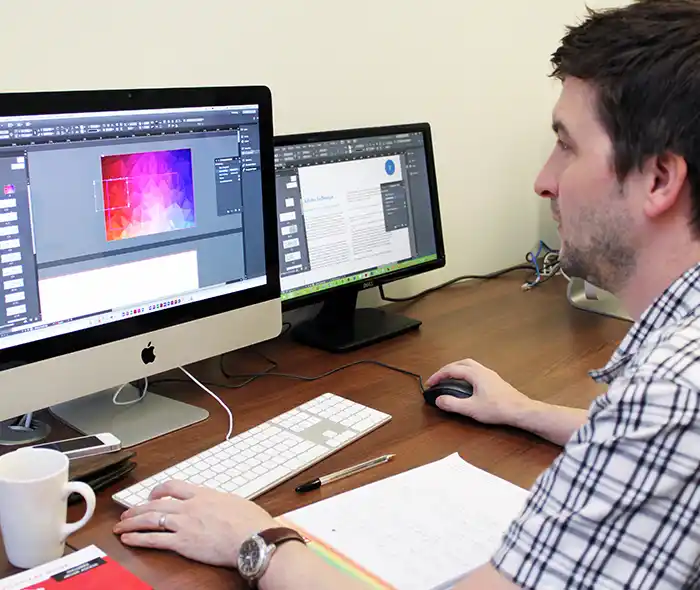
-
Full Course Outline
The following is a general outline. The range of topics covered during your training is dependent upon student level, time available and preferences of your course booking.
Getting Started with Midjourney- Understanding what Midjourney is and how it is used in creative workflows
- How Midjourney works with Discord
- Setting up and accessing Midjourney
- Understanding generative AI image creation
- Navigating the Midjourney interface and commands
- Writing clear and effective prompts
- Generating images from text
- Understanding prompt structure and keywords
- Exploring visual styles and moods
- Using variations and upscaling
- Adjusting artistic style and tone
- Controlling realism and illustration styles
- Using aspect ratios and image formats
- Applying reference images for visual consistency
- Using style and seed controls
- Using parameters to control output
- Prompt weighting and emphasis
- Using negative prompts
- Multi-prompt techniques
- Image blending and remix mode
- Creating image variations
- Upscaling and enhancing details
- Re-rolling and refining outputs
- Keeping visual consistency across a series
- Building creative concepts through iterations
Using Midjourney for Creative Projects- Concept art and mood boards
- Marketing and advertising visuals
- Social media and digital content
- Illustration and artwork
- Product and brand visuals
- How Midjourney plans and credits work
- Fast vs Relaxed modes
- Managing generation time efficiently
- Understanding usage limits
- Writing consistent and repeatable prompts
- Maintaining brand and visual style
- Understanding copyright and usage rights
- Using AI imagery responsibly
- Downloading generated images
- Upscaled file formats
- Preparing images for Photoshop and design tools
- Using Midjourney artwork in print and digital projects
-
Training Location Options
Online ↓ London ↓ Manchester ↓ Glasgow ↓ Onsite ↓This course is offered for your convenience at one of our bespoke training centres in London, Manchester and Glasgow, Remote Online, or Onsite at your offices anywhere in the UK. Just let us know what would work best for you or your team.
Remote Online
Delivered Online to your location
Live online training offers an extremely flexible and convenient way of covering the same content as our bespoke classroom based courses. You will receive professional, certified design training from one of our experienced instructors direct to your screen, offering the perfect solution for those wishing to learn without having to travel.
Click to view Full details of our
Remote Online Training CoursesCentral London
5 St John’s Lane, Clerkenwell, EC1M 4BH
St John’s Lane is located in the heart of Clerkenwell close to the junction of Farringdon and Clerkenwell Road. Farringdon tube & train station is just a few minutes away and the training centre can also be accessed from Chancery Lane and Barbican tubes in about 10 minutes. There is also easy direct access by bus from Waterloo (243) and West End (55) with nearby stops.
Click to view Full details of our
London Training CentreCentral Manchester
Piccadilly House, 49 Piccadilly, M1 2AP
Piccadilly House is located in central Manchester directly next to the Piccadilly Gardens transport interchange with excellent bus and tram connections and is easily accessed from Piccadilly train Station (5 mins). Victoria station is also close by (around 10 mins).
Click to view Full details of our
Manchester Training CentreCentral Glasgow
Centrum Business Centre, 38 Queen Street, G1 3DX
The Queen Street training centre is located in central Glasgow within easy walking distance of the 3 local train options of Central Station, Queen Street and Argyle Street offering excellent transport connections.
Click to view Full details of our
Glasgow Training CentreOnsite
Onsite at your Offices/Premises
If you have the required set up and would prefer to have the training at your location we will be able to deliver the same session onsite at your premises as in our training centres. This will provide you with the same tailored training but without the need to travel and less disruption to you or your teams work schedule.
Click to view Full details of
Onsite Training -
Related Courses
Below are related bespoke courses for alternative tailored training options.
Bespoke Midjourney Training Courses
-
Client Reviews
''Absolutely brilliant. Showed us exactly what we needed to know in a relevant environment to our jobs.''
Jane Easterman, Redactive Media Group, PitStop Pro - 1 Day Introduction
''Very Good, All my questions were answered and I had a comprehensive introduction to Cinema4D. I will be coming back for the intermediate and advanced course along with an After Effects course.''
Fraser Crick, Estee Lauder, Cinema 4D - 2 Day Introduction
''Good pace and very clear directions. I will definitely be recommending XChange Training in the future. ''
Charlotte Green, AXA Investment Managers, Powerpoint & Excel - Bespoke Introduction
''Thanks for a very pleasant and educational 2 days. I think it was especially good because it was a small class which gave very individual training.''
Nigel Hopwood, Jacob Jensen Design, InDesign - 2 Day Advanced
''Confident and knowledgeable trainer who took it at a nice pace so all disciplines were catered for. Thank you.''
Georgina Poole, Pennine NHS, Adobe Captivate - Four Day Masterclass
''Excellent course which was easy to follow.''
Carlo Gonzalez, Ldo Creative, Adobe DPS - 2 Day Introduction
''The course was excellent and the pace was kept to the right speed.''
Kate Durrant, IAPA, Dreamweaver - One Day Introduction
''Very good course, very informative. Delivered excellently by trainer.''
Adrian Rigby, NU-Form Fire UK, AutoCAD Introduction - Two Days
''The trainer was excellent and the private training worked very well.''
Christopher Harris, University of Leeds, Flash - 2 Day Introduction
''The trainer was extremely helpful and responsive to our needs personalising the course to focus on our requirements. The hands-on, practical nature of the course was very effective.''
Olivia Skinner, Commission for Racial Equality, QuarkXPress - 2 Day Bespoke
Frequently Asked Questions:
What dates are available for this course?
As a bespoke course the date arrangement is based around your requirements and availability in our schedule. With your guide of when you are looking for the training we will advise suitable date options ahead of finalising the planned date(s).
Can the content be tailored to my requirements?
Yes we are flexible about tailoring content and can adapt to be fully based on your requirements, a mixture of content from different levels of our base courses or a base outline with some additional focus areas.
Can this course be delivered live online?
Yes we can provide the same bespoke course as a live online session connecting to you or your group with either Zoom or Microsoft Teams if preferred.
What is the cost to deliver the course onsite?
We are equally able to deliver our bespoke training onsite at your premises and the cost to deliver this is the same structure as classroom with the addition of basic expenses depending on your location. Onsite courses in and around London, Manchester and Glasgow are usually without additional costs.
Can the course include my work samples?
It is often possible to review and include consideration towards sample files however the main course content is usually structured around prepared examples which are best suited to the planned content and structure of teaching the required skills in the best format.



Bespoke Training Prices:
 1 Delegate: £695
 2 Delegates: £795
 3 Delegates: £895
 4 Delegates: £995
 5 Delegates: £1,045
 6 Delegates: £1,095
 7 Delegates: £1,145
 8 Delegates: £1,195
Additional costs may apply for onsite training and specialist requirements. Prices exclude vat.
Whats Included:
 Tailored course content
  Online, Onsite or Classroom
  Choice of dates to suit you
  Certified hands-on training
  Multiple delegate discount
  Authorised Course Certificate
  6 months post course support