
 0345 363 1130
 info@xchangetraining.co.uk


Articulate Storyline Introduction Masterclass 3 Days - Online
Level:
Introduction to Advanced
Duration:
3
Days - 10am to 5pm
Price:
£595 + vat
Take a deep look at Articulate Storyline 360 as we show you everything you need to get started and take control of this powerful eLearning program. Joins us to learn how to create your own interactive courses for the web and for mobile devices. Ideal for beginners looking to create their own feature rich eLearning courses.
After we give you a complete tour of the Storyline environment, we will show you how to create simple but powerful eLearning courses of your own. We will also go beyond the basics, showing you how to handle audio, video, software simulations and teach you to use the advanced features with the use of variables, menus, quiz options and much more.
Take a deep look at Articulate Storyline 360 as we show you everything you need to get started and take control of this powerful eLearning program. Joins us to learn how to create your own interactive courses for the web and for mobile devices. Ideal for beginners looking to create their own feature rich eLearning courses.
After we give you a complete tour of the Storyline environment, we will show you how to create simple but powerful eLearning courses of your own. We will also go beyond the basics, showing you how to handle audio, video, software simulations and teach you to use the advanced features with the use of variables, menus, quiz options and much more.
-
Storyline Masterclass 3 Days
Course Details
This 3-day Masterclass course helps you learn about the tools and features available in Storyline 360. We will help you understand how this eLearning program can create slick presentations through the use of simple drag-and-drop tools.
With our help, you will learn how to produce interactive eLearning projects perfect for desktop and mobile devices. Our course covers how to handle video, create survey questions, software simulations, add variables, use menus effectively, apply more advanced quiz options and more.
Upon successful completion of this course, you will be able to:
- Navigate the Storyline environment
- Add text, audio, and video to slides
- Create interactive objects
- Produce surveys with graded questions
- Record the screen and simulate software
- Publish projects in HTML5 for desktop and mobiles
- Customise the Storyline environment
- Use variables and advanced variable options
- Apply branching to quizzes
- Create custom course menus
- Develop quiz structures with advanced features
- Benefit from the use of absolute and relative motion paths
Our goal is for you to understand how to create simple, powerful eLearning projects.
Course Target Audience and delegate prerequisites:
This course is designed for those who are new to interactive design and development and who want to develop skills to work with Articulate Storyline to build intuitive, attractive and accessible projects.
You will need basic PC or Mac skills, including a good understanding of your operating system. You should be able to launch applications, manage files and folders, and save or locate documents confidently.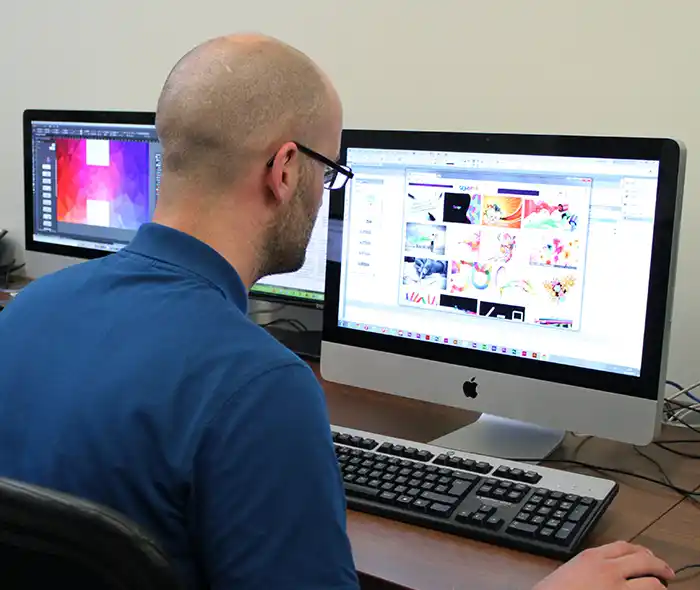
-
Full Course Outline
The following is a general outline. The range of topics covered during your training is dependent upon student level, time available and preferences of your course booking.
Getting to Know Storyline- Looking at the Storyline Interface
- Story View
- Slide View
- Opening a Project
- Previewing a Project
- Creating a Project
- Saving Projects
- Setting the Project Size
- Importing from PowerPoint
- Working with Slides
- Working with Scenes
- Slide Properties
- Slide Transitions
- Default and Custom Slide Navigation
- Moving, Resizing and Rotating Objects
- Stacking and Aligning Objects
- Formatting Objects
- Object Properties
- Objects on the Timeline
- Animations
- Text Boxes
- Editing and Formatting Text
- Formatting Text Boxes
- Pictures and Images
- Shapes and Captions
- Characters
- Web Objects
- Hyperlinks
- Scrolling Panels
- Zoom Regions
- Lightboxes
- Markers
- Buttons and Hotspots
- Audio
- Video
- Choosing and Customising a Theme
- Slide Masters and Layouts
- Working with States
- Working with Layers
- Adding Interactivity with Triggers, Events and Actions
- Creating and Displaying Variables
- Setting and Adjusting Variable Values
- Using Variables in Conditional Statements
- Optional Voice Over
- Check Boxes and Radio Buttons
- Sliders and Dials
- Introduction to JavaScript
- Understanding Quiz Types
- Question Types
- Adding Questions
- Question Options
- Results Slides
- Quiz Options
- Importing Questions
- Free-form Question Types
- Knowledge Check Quizzes
- Pre-check Quizzes
- Drag-and-Drop Questions
- Randomising Questions with Question Banks
Accessibility- The Accessibility Checker
- Alt Text for Images and Graphics
- Closed Captions
- Focus Order
- Text Styles and Semantic Formatting
- Other Accessibility Considerations
- Template Options
- Creating and Using Templates
- Importing PowerPoint Slides
- Importing Storyline Slides from Other Projects
- Three Pages on One Slide
- Custom Course Menus Using Layers and Layouts
- Other Practical Examples
- Working with 360° Images
- Adding Interactive Hotspots
- Creating Immersive Learning Experiences
- Preparing for a Recording
- Record Settings
- Creating a Recording
- Playback Mode Options
- Inserting Recordings
- View Mode
- Try and Test Mode
- Reusing Recordings
- Player Overview
- Adding Features
- The Menu
- Resources and the Glossary
- Publishing to Review
- Sharing a Course
- Making Comments
- Managing and Resolving Feedback
- The Publishing and Uploading Process
- Publishing and Tracking Options
- Publishing to a Learning Management System (LMS)
- Other Publishing Formats
-
Location Details
This course is provided as a remote online course with live training provided by our Certified Trainer.
Accessing the live online course anywhere is easy and all you will need is:
- Computer with the trial or full version of Storyline installed
- Separate screen or device for the shared video display
- Sound output via computer or headset
- Ideally a camera and microphone on the computer for remote contact
Our goal is for you to be able to create simple but professional documents that are ready to use for the web and for print.
It is important to note this is not a classroom based training.

-
Storyline Masterclass 3 Days - Upcoming Online Course Dates
21 Sep - 23 Sep £595 + vat 30 Nov - 02 Dec £595 + vat -
Client Reviews
"Great course, learned a lot despite having already been using Storyline for 6 months!"
Paul Ferrol, Amazon, Storyline - 2 Day Introduction
"Really enjoyed the course. Presented a comprehensive overview of Articulate and helped us out with any queries we had."
Chris Bateman, Glasgow Caledonian Uni, Articulate Storyline - 2 Day Introduction
"The training provided by XChange Training was excellent. I have learned so much that can be taken away and implemented into my work. Working in a small group is really good and you are able to interact with trainer and other learners."
Rawinder Sandher, Vanquis Bank, Articulate Storyline - 2 Day Introduction
"The trainer was brilliant. Had time to talk everyone through the system and gave us more than enough knowledge on how to use the system. I feel completely confident to go onto Storyline and create an in depth e-learning module. "
Josh Deering, Riverside Housing, Storyline - 2 Day Introduction
"Great training to enhance the work and an overall great experience, thank you XChange Training!"
Waseem Mirza, Bradford Council, Articulate Storyline - 2 Day Introduction
"Absolutely loved the third day, and the very hands on practical examples that we worked through. Will really help aid my retention of this useful new skillset."
Louisa Pavis, HSBC Global Services, Storyline - 3 Day Introduction Masterclass
"Very helpful course with all the basics covered. I feel confident that I can complete and build and produce quality courses relatively pain free!"
Sian Murphy, Riverside Housing, Storyline - 2 Day Introduction
"The instructor was engaging, knowledgeable and paced the delivery well. Overall a good experience."
Martyn Godwin, University of York, Storyline - 2 Day Introduction
"This was a very good training course. It was well paced and clearly presented. The mix between instruction and practice was well balanced. I have learnt a huge amount and am looking forward to consolidating skills."
Gary Morris, University of Leeds, Articulate Storyline - 2 Day Introduction
"Superb content and excellent trainer/delivery. Overall very enjoyable and I am looking forward to using the skills gained these last 2 days. Thank you!"
James White, Volker Wessels, Storyline - 2 Day Introduction
 £595 + vat

Next Dates:
 21 Sep - 23 Sep £595 + vat
30 Nov - 02 Dec £595 + vat
Over 15 years of providing certified Articulate Storyline training courses UK wide

5/5 Stars
Good pace, lots of content
15/07/2026
5/5 Stars
Great and informative
15/07/2026
5/5 Stars
Really useful overview of what's included within rise and storyline
06/07/2026
5/5 Stars
Great insight
06/07/2026
5/5 Stars
Very simple to understand and follow along
06/07/2026

4/5 Stars
I would have liked a bit more time in between topics to practice
17/06/2026
4/5 Stars
The course was really good and i got alot from it
17/06/2026
5/5 Stars
There was a mix of experience in the group, however, felt able to keep up with the group. Simon was very supportive and encouraging.
16/06/2026
4/5 Stars
Was really good. I am someone who can learn by doing without the need for an instructor but having the structure of this course saved loads of time in terms of needing to research 'where do I start'. The topics were sensible, each built on the previous and the instructor gave me the confidence and prepared me with the skills needed to go away and experiment in my own time, building on the foundations of what he showed us. Particularly liked the aspect of triggers both in how that was taught and how they can bring your learning to life. Overall it was excellent but one thing I would allow for is more practice time and perhaps some feedback e.g. at the end of day 1, day 2 to see how we are getting on with our builds and to answer individual questions. Appreciate that in a big group that is difficult but you could even set non-mandatory homework between day 1 and day 2 potentially?
16/06/2026
4/5 Stars
The course was delivered at a good pace. Personally for me. I would liked the templates section to have been delivered at the start.
16/06/2026
Whats Included:
 Live online remote tuition
  Certified hands-on training
  Small class size (max 4-8)
  6 months post course support
  Authorised Course Certificate
Frequently Asked Questions
What are the course times?
For all online courses the normal session timings are 10am to 5pm with an hour break for lunch. In addition to the hour lunch break there are also two fifteen minute coffee breaks mid morning and mid afternoon.
Daily times are:
09.45 - Registration
10.00 - Course start
13.00 - Lunch
14.00 - Afternoon starts
17.00 - Course ends
Do you offer discounts
or promotions?
We offer a range of regular discounts available for self funding individuals, charities and education along with period special offers. See our promotions page for full details.
What is provided with this course?
For this online course you will need to have your computer ready with the relevant software (trial or full) and our live instructor will guide you through the skills remotely during the session. Files for use in the training will be made available in advance for download. After the course you will receive the authorised Certificate and 6 months direct post course support.
Does this course give
a qualification?
Although this course does not provide an actual qualification each delegate is provided with an official Certificate for completion of the course level.
Can you invoice my company?
In short yes we can provide 30 day invoice terms to any UK Limited company with the provision of your official purchase order and/or completing the invoice request for your booking online.

Adobe Design Ready in just 5 days!
Learn Adobe Design skills with our value Adobe Design Masterclass Bundle →